
Why guest photos matter, and your main options
Your photographer captures the day professionally, but guests catch the table selfies, dance-floor moments, reactions and little things happening elsewhere. Those extra photos help fill in the parts of the day you never saw.
| Option | Good for | What to consider |
|---|---|---|
| WhatsApp or group chat | Small, informal groups | Photos get mixed with messages and can be harder to organise later. |
| Shared cloud folder | Couples happy managing a folder | Permissions and sign-ins can add friction for guests. |
| Wedding hashtag / social media | Public sharing | Not private and easy to miss photos from guests who don’t post. |
| Guest Upload Gallery | One private place for everyone | Works best when the QR code is visible and guests know what it’s for. |
How the PhotoUpload route works
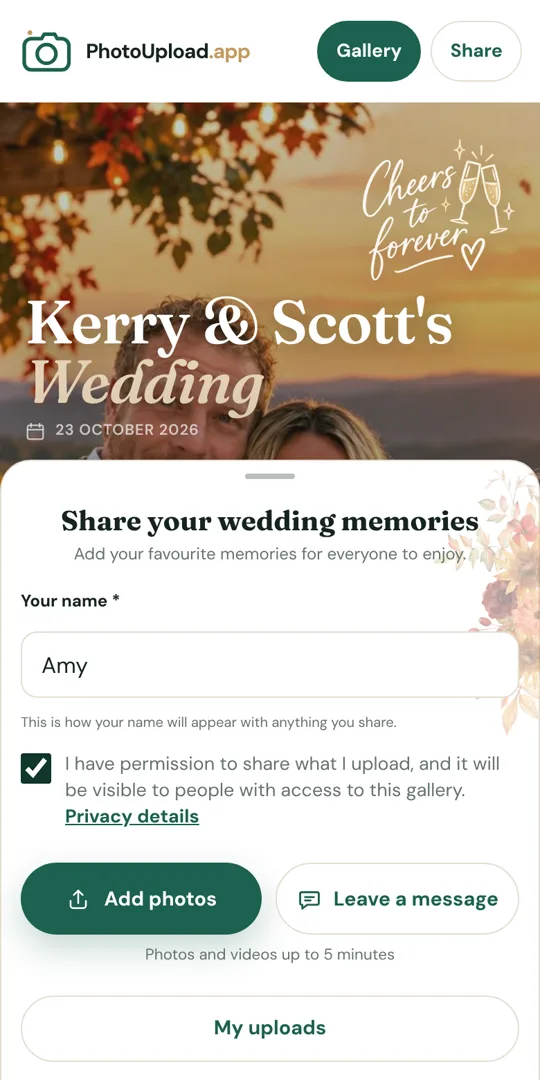
Create one Guest Upload Gallery, then share the private link or QR code. Guests open it in their normal phone browser and upload directly: no app and no guest account.
Put it on your tables, at the bar or beside the guest book, and send the link in WhatsApp too.
Guest photos and short videos collect in one gallery instead of being scattered across chats.
Upload finished professional photos into the same shared gallery afterwards using a contributor name such as “Professional Photos”.
Post the same gallery link back into WhatsApp or Facebook so guests can enjoy the finished collection without you sending photos to people one by one.
Check your dates: your gallery shows when guests can add photos and how long the collection is available to view or download. Dates depend on the plan you choose. See how gallery dates work.
How to get more guests to actually upload
- Put the QR code somewhere guests naturally pause: tables, the bar, guest book, photo booth area or the ladies’ toilets.
- Use simple wording such as “Share your photos here.”
- Ask the DJ, MC or members of the wedding party to mention it throughout the day and evening.
- Re-share the link the next day so the photos still sitting on people’s phones make it into the gallery.
Give each table a few fun prompts such as table selfie, best dressed, best dance move or funniest moment. Guests can use your built-in gallery categories when available, or add a simple hashtag such as #TableSelfie in the message or caption when they upload.
Should guests be able to view and download each other’s photos?
Usually, yes. The shared gallery is part of the fun. Guests can enjoy everyone’s different view of the day and later see the professional photos you add too.
To keep it private for now, as a surprise or just for yourselves, add a gallery PIN and share it when you’re ready.
- Let everyone enjoy the shared collection together.
- Use a gallery PIN when you want more control over who can view or download.
- Add your professional collection later and re-share the same gallery link with guests.