
Every gallery has a cycle
Each gallery has dates for what people can do, then closes and clears itself. Set your usual timings once in Studio → Business setup, and give any gallery its own dates when a client needs something different. Changing your usual timings never changes galleries you’ve already made.
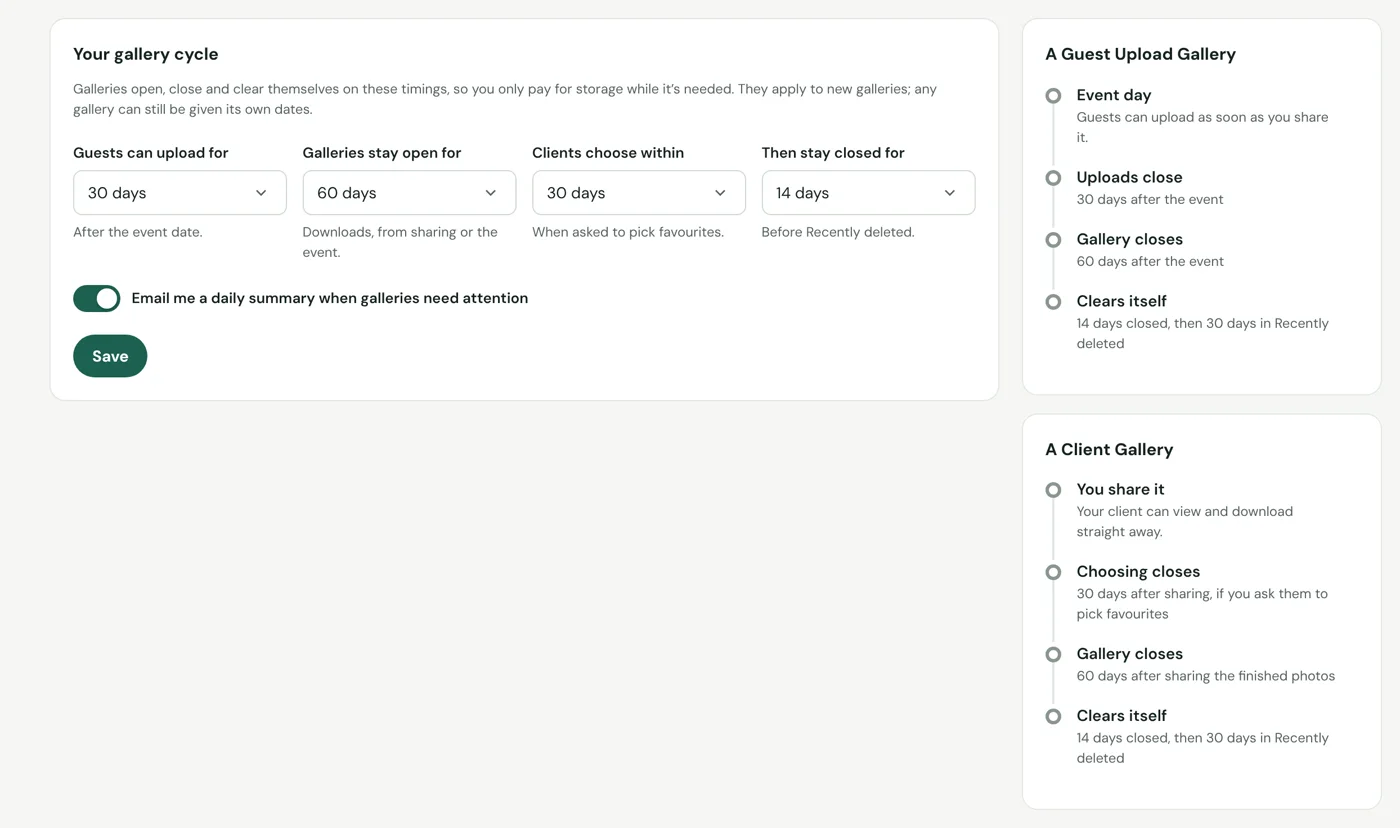
Guests can upload as soon as you share it, until the date you choose. The gallery stays open to view and download for longer.
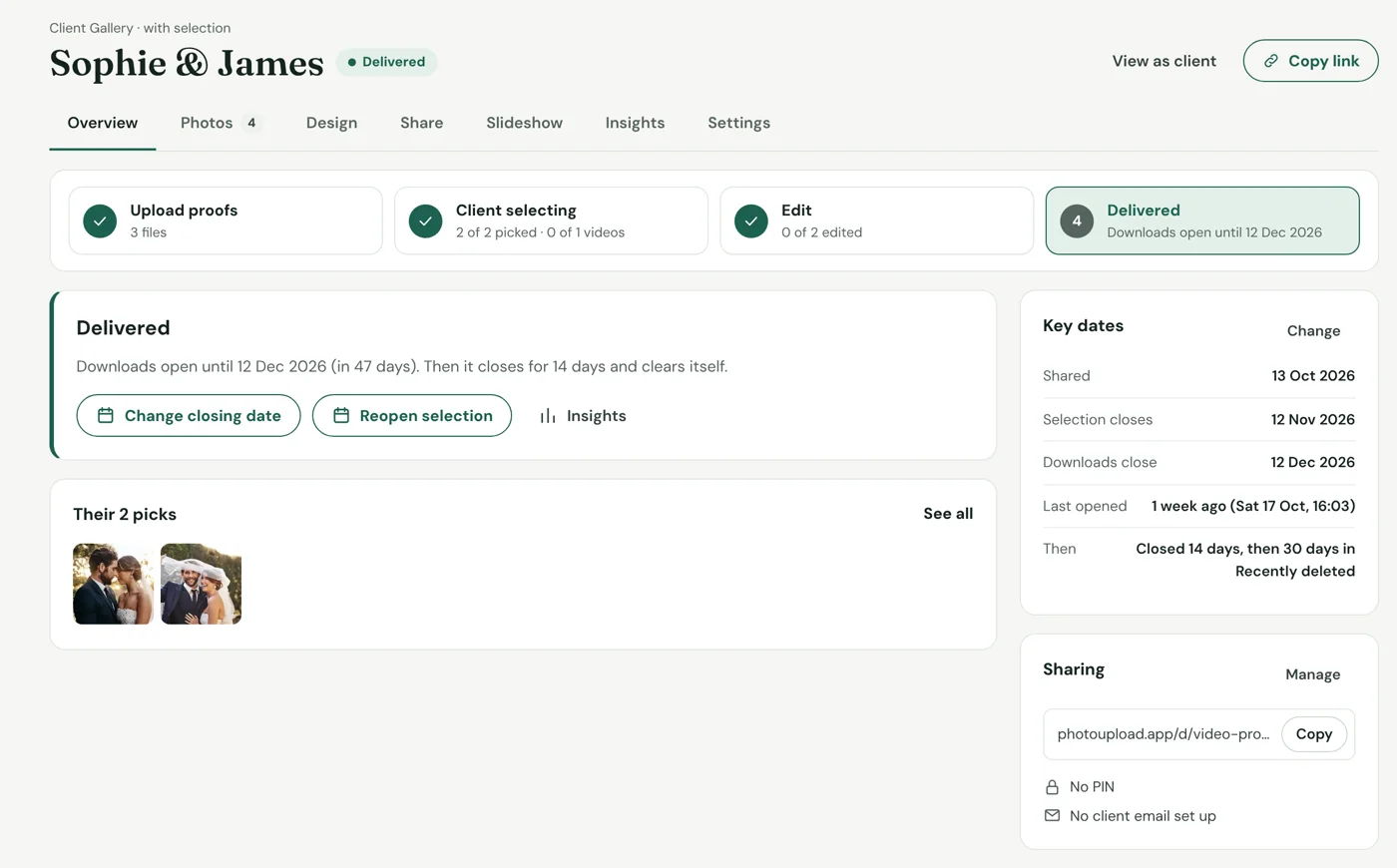
Share the finished photos and choose how long your client has to view and download them.
Your client picks favourites by a date. When the finals are ready, they get their own download period in the same gallery.
With your client’s email address added, PhotoUpload sends reminders in your branding before each date.
After a gallery closes
| Stage | What happens | Storage |
|---|---|---|
| Open | Clients and guests can use the gallery. | Counts |
| Closed | Nobody can open it, but every file is kept, so you can reopen it. You choose how long this lasts, or skip it. | Counts |
| Recently deleted | Kept for 30 days so you can bring the whole gallery back. | Doesn’t count |
| Deleted | The gallery and its files are gone for good. | Doesn’t count |
Deleting a single photo is different: it’s permanent straight away.
What visitors see when it’s closed
Anyone opening the link sees a page in your branding saying the gallery isn’t available, with your contact details so they can ask you. Nothing reopens unless you choose to.
Why it keeps your bill down
Your monthly bill is for the highest storage you reached. As finished galleries move to Recently deleted, your storage comes down, and so does next month’s bill. How billing works.
If you cancel, open galleries close when your subscription ends, then move to Recently deleted for 30 days.